
Cutio 1.0 / Features
Sheet cutting features for the workshop.
Plan the job, make better use of material and keep production details connected.
01 / Plan
Import and prepare your cutting list.
Parts & edges
Dimensions, quantities, grain and four-side edge banding.
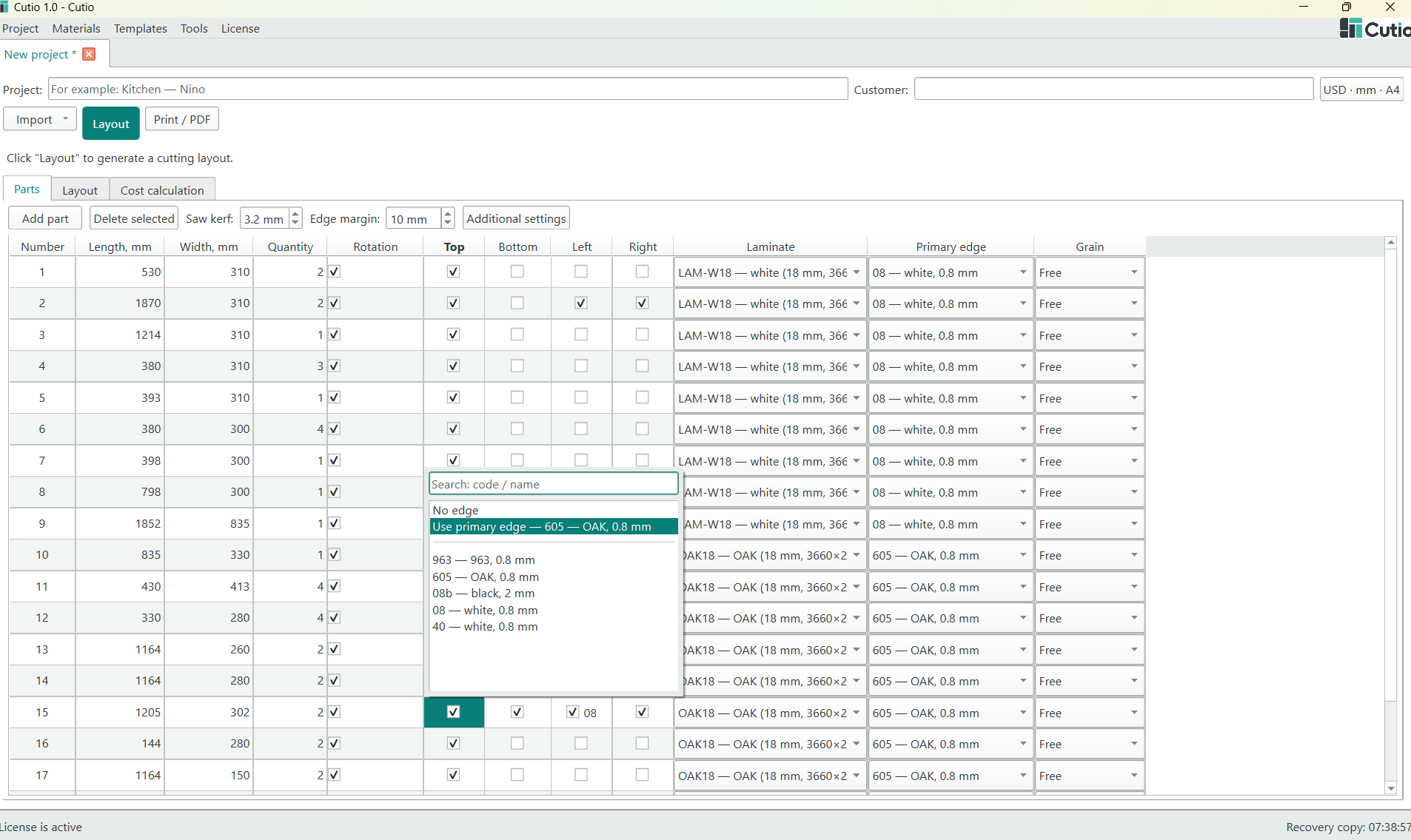
Parts and edge bandingView full screenshot Material catalog
Keep sheet sizes, thicknesses and edge materials together.
Excel import
Bring .xlsx parts lists in with ready-to-use templates.
Excel export
Take project reports and recognition-review rows back to spreadsheets.
Image / PDF recognition
Review and confirm recognized rows before importing.
Job costing
Project prices, cutting, edging, overhead, profit and tax.
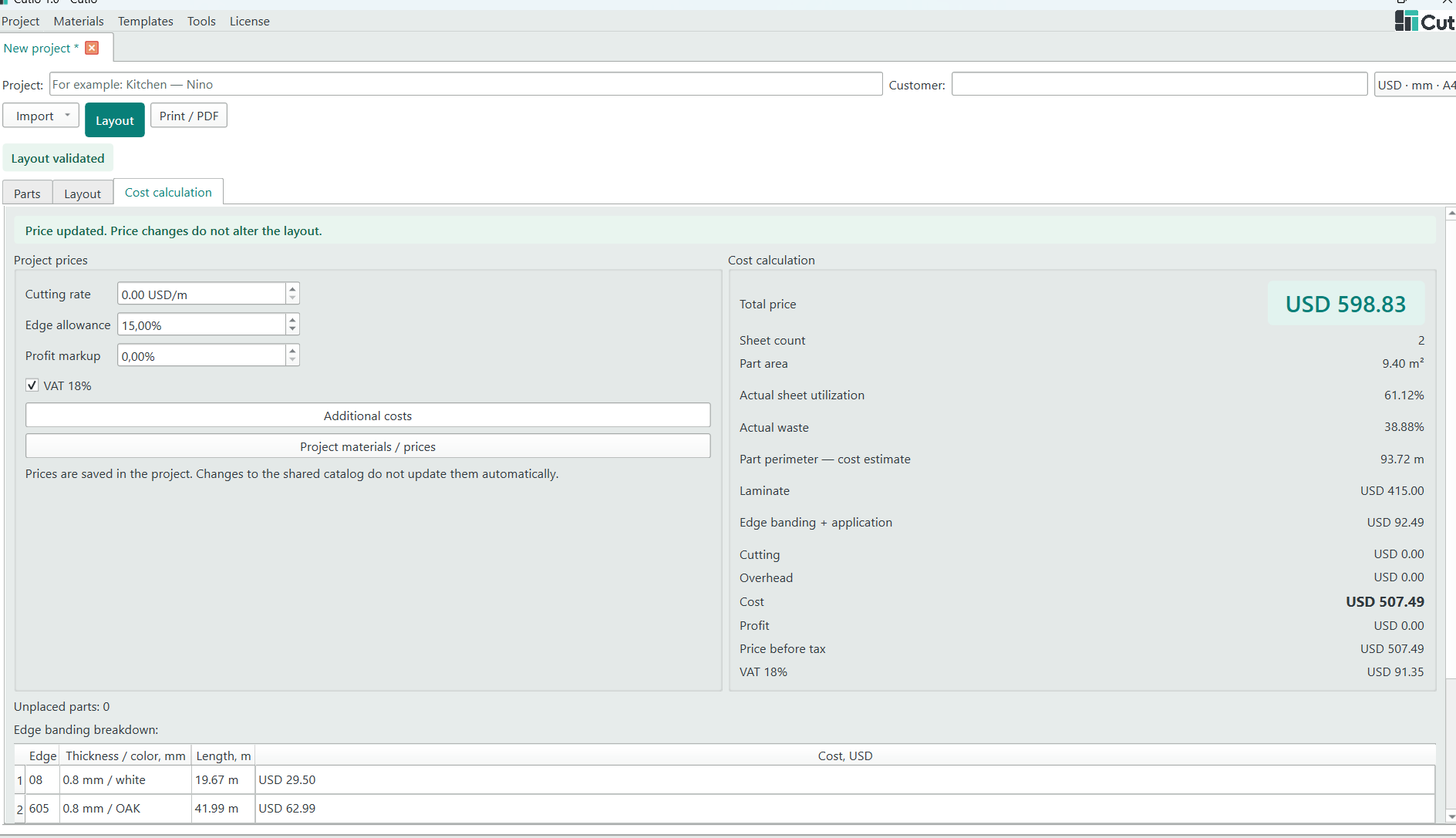
Project cost calculationView full screenshot
Recognition requires internet access and your own OpenAI API key/credit.
How to import an Excel cut list02 / Optimize
Optimize sheets, then adjust the layout.
Multi-sheet nesting
Arrange rectangular parts across sheets and materials.
Cutting rules
Set kerf, margins, grain and permitted rotation.
Manual control
Move, rotate, snap and transfer parts between sheets.
Unplaced workspace
Find remaining parts and place individual copies.
Layout checks
Review utilization, part counts, spacing and cutting feasibility.
03 / Reuse
Give useful offcuts another job.
Track usable stock
Find offcuts by material, size, grain and location.
Reserve or release
Set stock aside for a saved project.
Complete the cut
Confirm consumption, release unused stock and save selected leftovers.
Keep stock identifiable
Available, reserved and used quantities, with offcut labels.
04 / Finish
Send clear details to the workshop.
Print / PDF
Preview layouts and calculations on A4 or Letter.
Part labels
A4 presets, custom sizes and printer calibration.
Company branding
Your name and logo on supported prints and labels.
Hinge references
Per-part position markers for production, not drilling programs.
DXF export
Placed rectangular geometry in millimetres; not a CNC toolpath.
05 / Continue
Pick up where you left off.
Save & recover
Reopen projects with manual layouts and recovery snapshots.
Keep project prices
Catalog changes do not silently reprice existing jobs.
English interface
Cutio 1.0 uses English. Existing material names and project currency labels remain as entered.
Your working units
Millimetres or inches, paper and tax settings, currency labels.
Changing the currency label does not convert prices.
Project questions06 / License & trial
Try it on your own work.
14-day free trial
Start without email, a one-time code or a credit card.
Account management
Email and an account are needed for purchase, recovery and account management.
Choose when ready
Review published prices and update coverage; contact support for purchase availability.
Image / PDF import in practice
Recognize. Check. Confirm.
Keep the source beside the recognized rows. Compare the result, correct it where needed and confirm what belongs in your project.
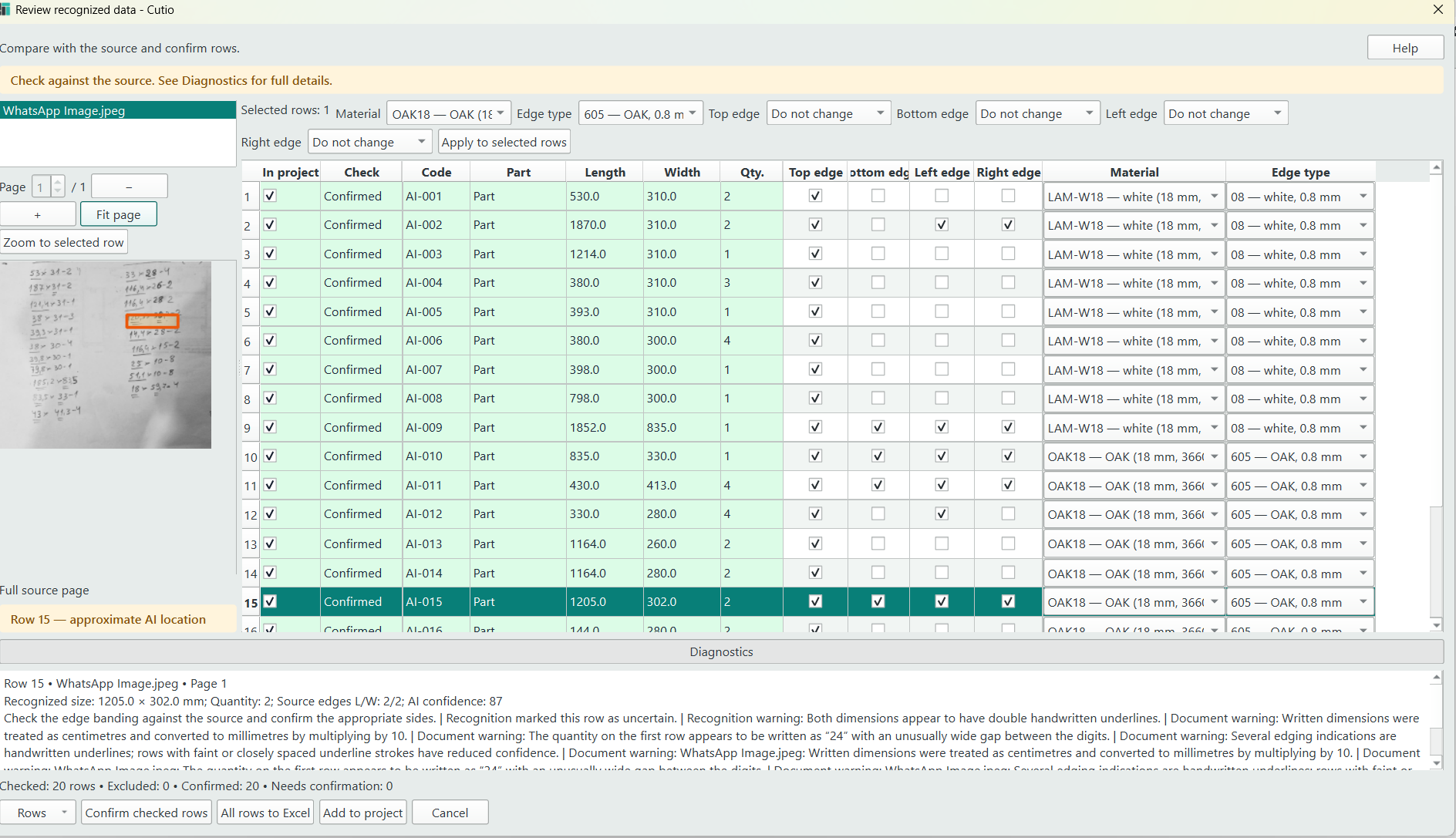
Compare with the source
View the image or PDF beside Length, Width and Qty. Select a row to inspect its highlighted source location; the location is approximate.
Review and correct
Check dimensions, edge data and material. Edit rows or apply material and edge changes to multiple selected rows. Review rows marked Needs confirmation before marking them Confirmed.
Choose the next step
Add to project imports checked, confirmed rows. All rows to Excel exports all remaining rows, including those still needing confirmation, for further review.
Recognition requires internet access and your own OpenAI API key with available credit. Results need human review. Read the import FAQ.
Start with your next cutting list.
Explore the workflow with a 14-day free trial.